While doing an application upgrade from 10.6.0 to 10.8.0 I text exported all workflows in both systems and then did a comparison. Upon first look it appears that there are several workflows in the classification module which have changed.
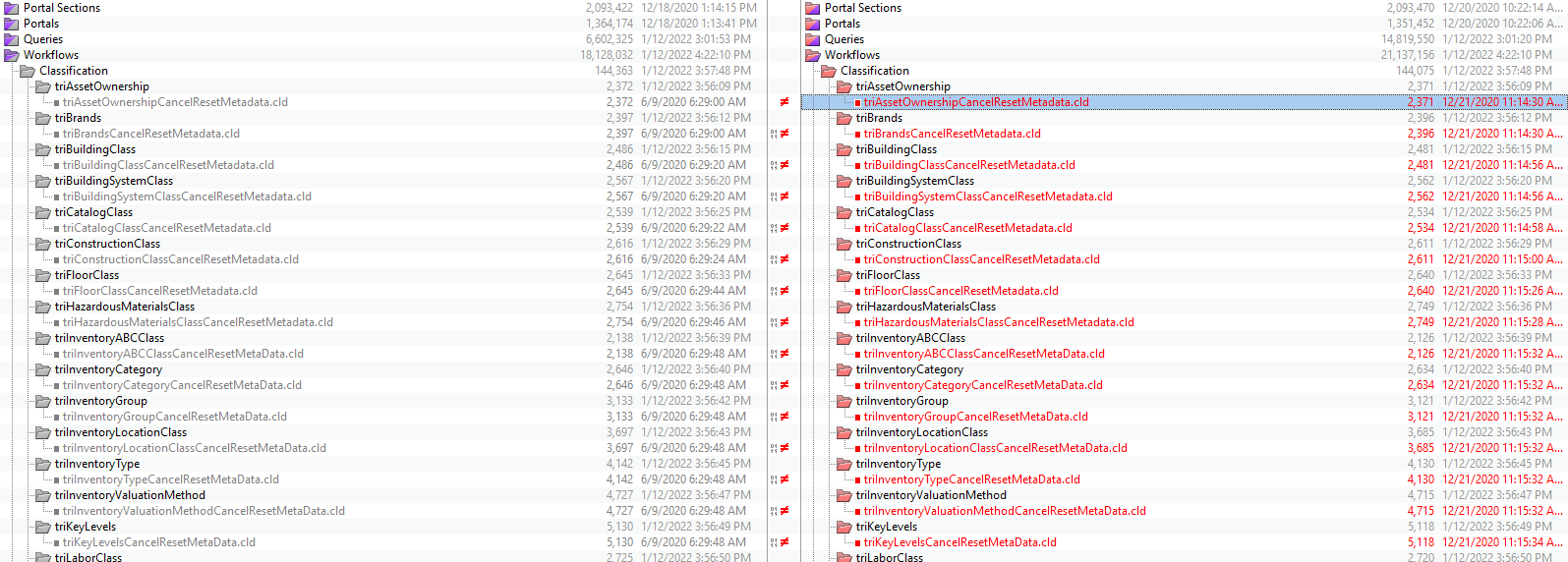
I opened the first one to see what has changed and it appears the only change is to which form the modify metadata task is pointing to.
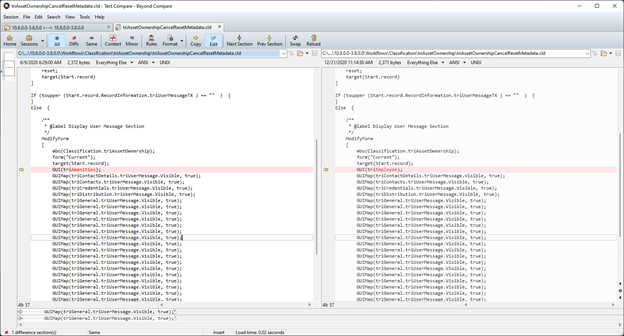
It also appears that in each workflow, 10.6 on the left and 10.8 on the right, the wrong form is selected for the current business object as neither form is on this BO. Also, note all the duplicate entries for setting the triUserMessage section on the triGeneral tab to Visible.
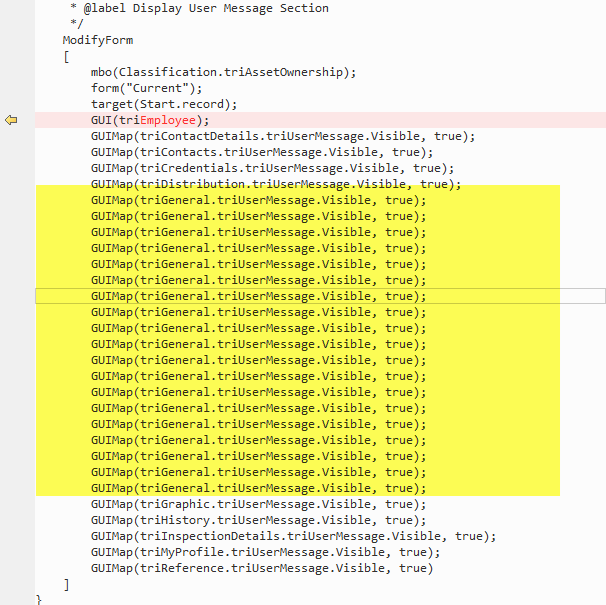
It doesn’t make sense that the TRIRIGA development team would change this workflow to point from one invalid form to another. The multiple entries are also in each version so that doesn’t show as a difference. That section should only have 1 setting. so, what’s going on? To figure that out, an investigation is needed. It’s time to go and open the workflow to see. I’ll open the 10.8 version.
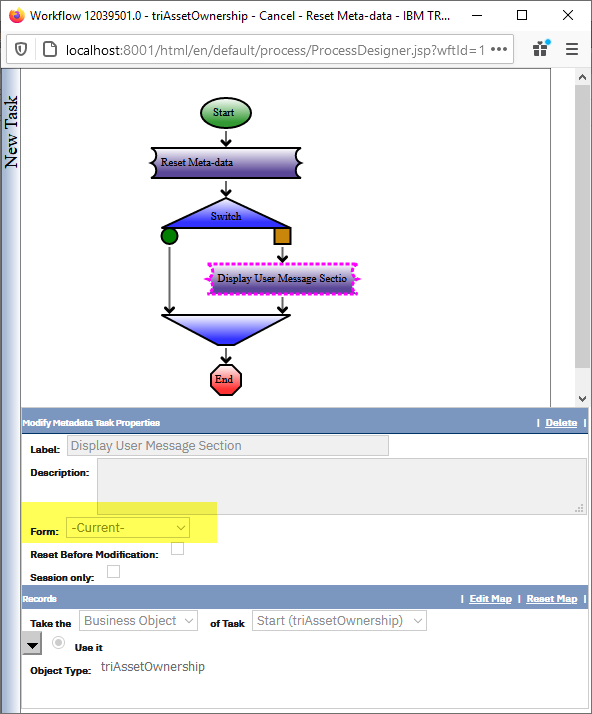
The Form setting is set to Current and is not specified, so why does the text export not reflect this? I don't have an answer for this, but in my opinion the text export should be an exact match of what appears on the screen in the UI. So if it says Current in the UI it should show current in the text export. If a form is specified then that form should show in the text export.
Now, what do the mappings look like?
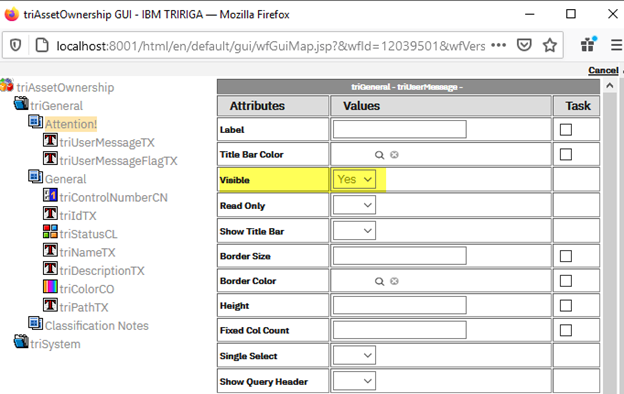
There is only one General Section on the triGeneral Tab, and it is being set to visible. So why does this appear nineteen times in the text export? To answer that, we are going to have to dig deeper. Let’s start by looking at the mappings in the database for our workflow triAssetOwnership - Cancel - Reset Meta-data and the task Display User Message Section.
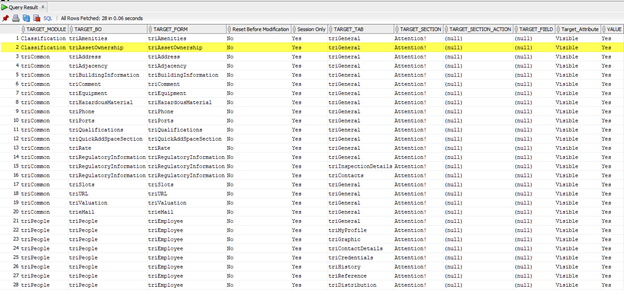
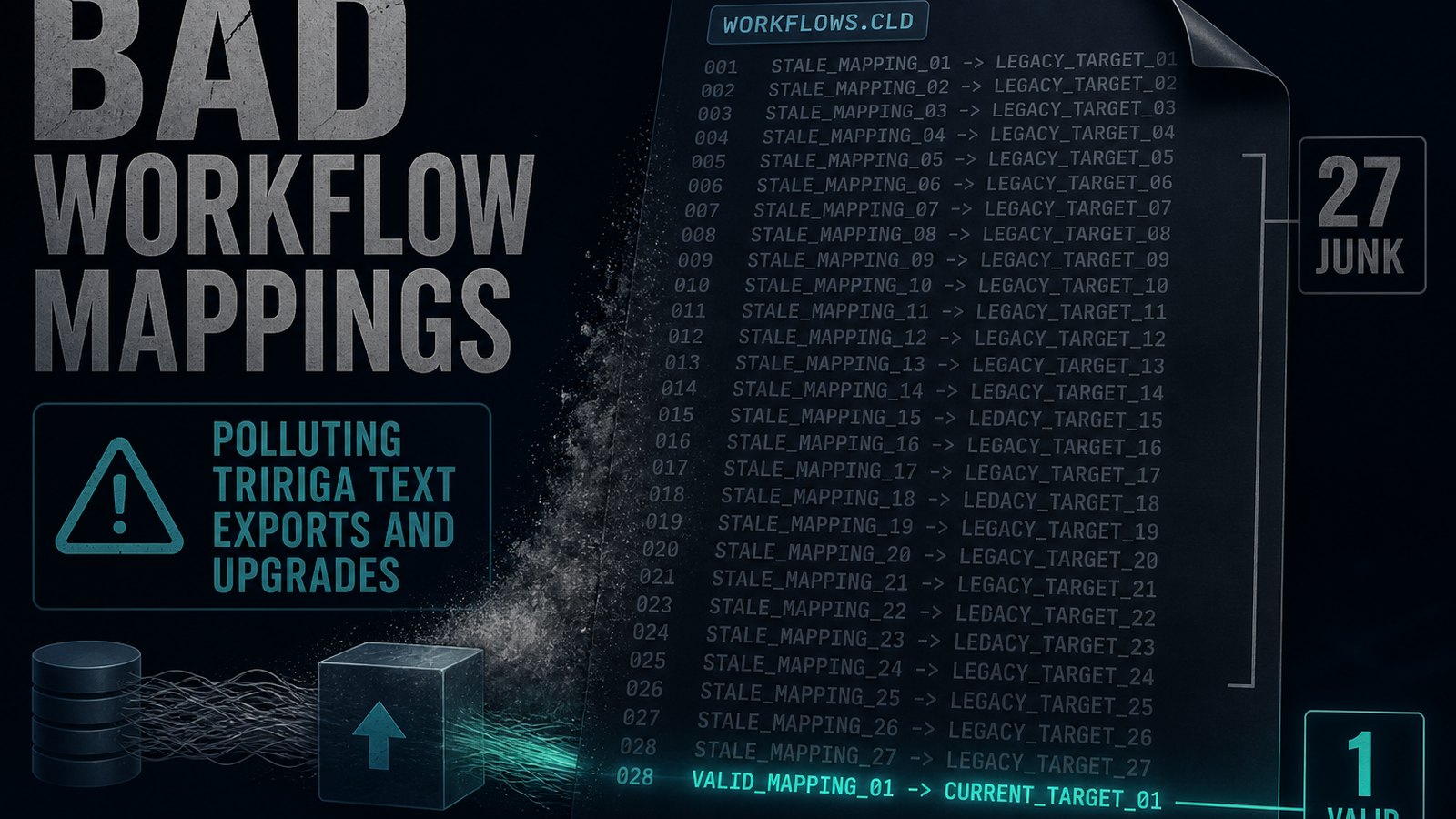
We can see that there are 28 mappings in the database which correspond to the 28 mappings that appear in our workflow text export. Out of all those mappings, only one is for the correct BO of the task. This can be verified by looking at the object type listed in the workflow.
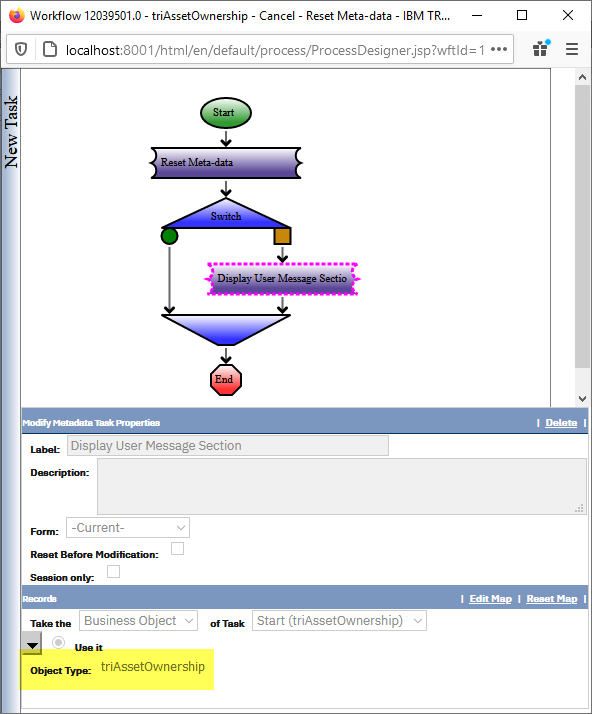
The other twenty-seven (27) mappings are all bad mappings and shouldn’t exist. The problem ultimately comes from the fact that TRIRIGA does NOT do any validations of workflow mappings. This particular workflow appears to have been copied many times and had its underlying BO changed. Whenever the underlying object changes, the old mappings do not get removed, and since there is no validation they stay there forever or until the mapping is reset. Since all of these invalid mappings exist in the database, they end up getting put in to the workflow text export.
The Workflow text exports are not generated directly from the database. Instead the process causes the workflow to be object migrated out, and then the workflow’s xml file is extracted from the package. The platform then reads in the xml file and creates the .cld workflow text export file. This means that not only do the bad mappings exist in the database, but that they object migrate out and will migrate in to any environment you OM that workflow in to. If we inspect the object’s xml file from the OM package we can see that the bad mappings are there.
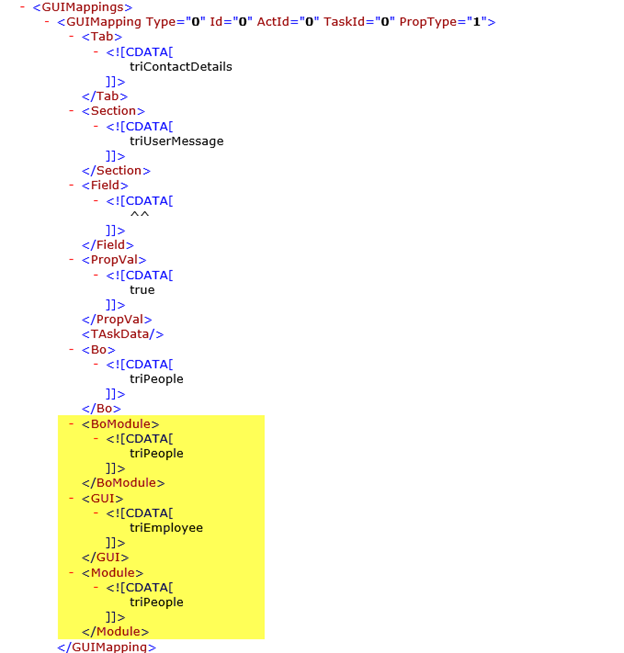
So this at least explains why there are so many duplicate mappings in the workflow text export. The text export strips off the Module, BO, and Form data and just show the underlying mapping. But why does the Form setting show one of the different forms but not the actual correct form? The reason why there are different form values shown in the different versions is that the value that is shown is random. When there are multiple forms to pick from, whatever form it gets first is what it shows whether or not it is the correct value.
These workflows are not broken and do function properly in the system because there is a valid or good mapping that is in them and that is what gets applied. If you look at the
All of the bad mappings really have a negative impact on application upgrades. Workflows that don’t have any changes actually show differences when the text exports are compared. Validating the object label of the workflow further validates that it has not changed as the object label is from 10.5.0 so the version in 10.6 and 10.8 are the same.
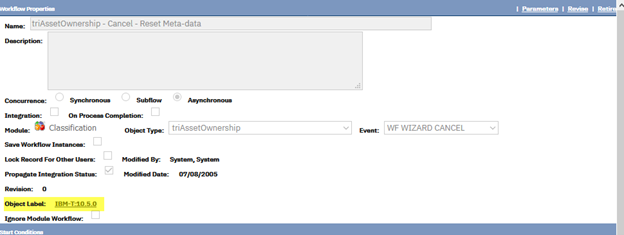
All of these false positive workflows have to be analyzed and determine that the difference being shown is really false and that the workflows need to be excluded. This effort leads to increased time, complexity, and cost of application upgrades.
This problem is not really due to a defect in the workflow text export utility. It does have some issues that need to be fixed like including the Object Label in the export. However, in the end this is all really a result of the Garbage In – Garbage Out principle. The mappings in the database are not validated at all so there are bad mappings. This is the Garbage In for the workflow text export process. If the invalid mappings were fixed within TRIRIGA then this issue would not exist. So, that is ultimately what the solution needs to be.
The first time I ran in to this issue it was quite confusing and if not for my ability to dig in to the database and understand what is happening I'd still be lost. Not everyone is able to do that so I thought I'd share what I found to help out. I'll also be sharing this with the platform development team, so that things can hopefully get fixed and improved.
Update: I now have my own Workflow Text Exports that will identify these types of invalid mappings. They can be found in the marketplace.
Comments (0)
No comments yet.
Sign in to comment.